
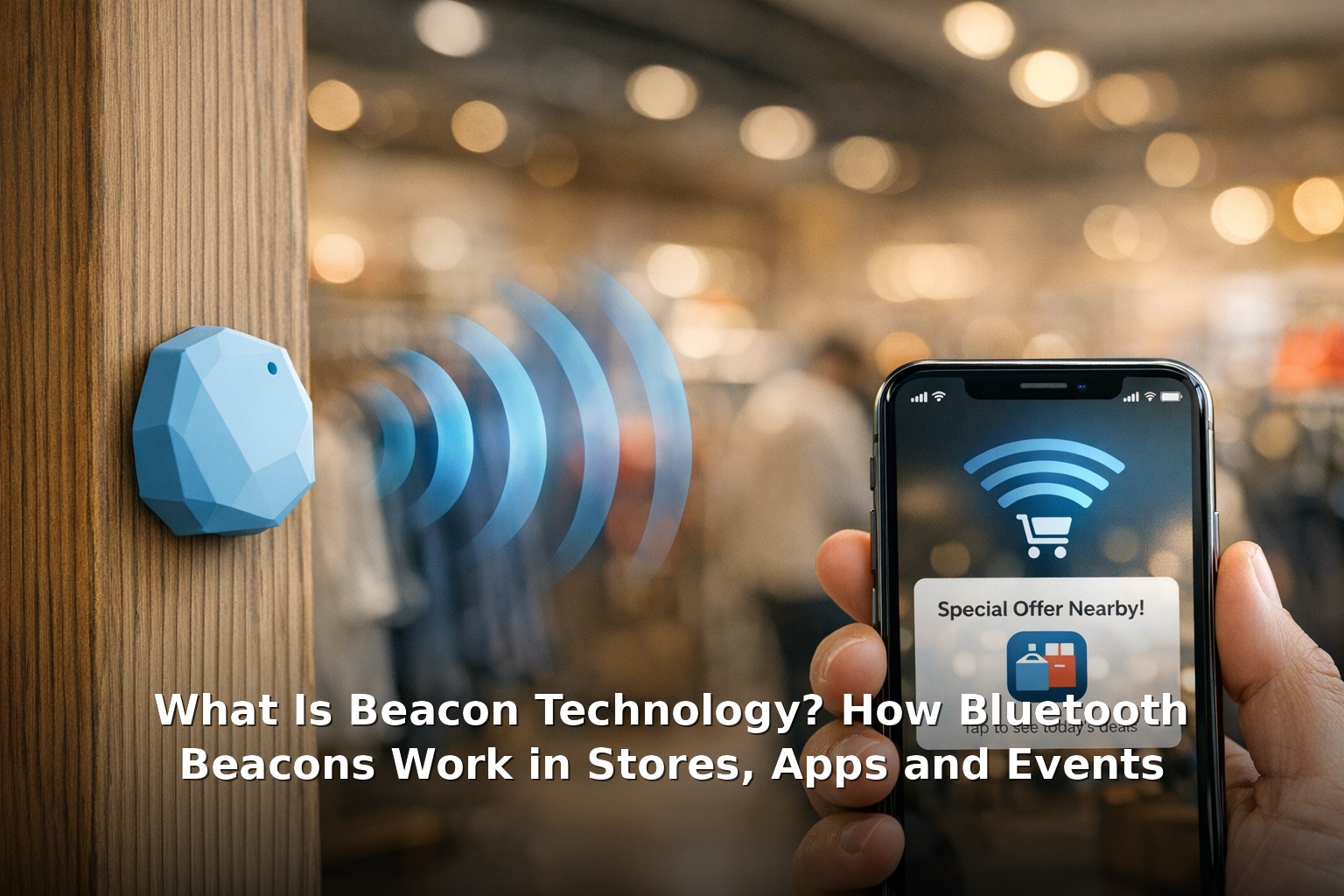
Quick answer: Beacon technology uses small Bluetooth Low Energy (BLE) transmitters — called beacons — to send signals to nearby smartphones and other devices. When your phone comes within range (typically up to 70 metres for class 1 beacons), it triggers location-aware actions: a notification, an app prompt, a loyalty card offer, or a check-in. Beacons are used in retail stores, museums, stadiums, warehouses, and event spaces to provide context-aware experiences based on exactly where you are. how beacon notifications work in practice.
What Is a Beacon and How Does It Differ From GPS, NFC and QR Codes?
A beacon is a small, battery-powered device that broadcasts a unique identifier via Bluetooth Low Energy. It does not connect to the internet itself — it simply says “I am here” and lets nearby devices pick up the signal. The receiver (usually a smartphone with a compatible app) interprets the signal and triggers an action. how beacon notifications work in practice.
Beacons are often confused with other location technologies. Here is how they compare: technology company products and services.
| Technology | Range | Requires App? | Two-Way? | Best For |
|---|---|---|---|---|
| Bluetooth Beacon | 1–70 metres | Yes | No (one-way broadcast) | Indoor precision, proximity triggers |
| GPS | Global (10+ metres accuracy) | No | No | Outdoor navigation, location tracking |
| NFC (tap) | 0–10 cm | Sometimes | Yes | Payments, tap-to-pair, ticketing |
| QR Code | Visual (0–5 metres scan) | No (camera needed) | No | Link sharing, menus, check-ins |
The key difference is that beacons work automatically in the background without any deliberate action from the user (beyond the initial permission grant). GPS works outdoors but poorly indoors. NFC requires a tap. QR codes require opening a camera and scanning. Beacons are the only technology that enables truly passive indoor proximity detection. technology company products and services.
How Beacon Notifications Work Step by Step
Here is exactly what happens when you walk past a beacon in a shop: evolution of communication technology.
- Your phone scans for BLE signals. Even when idle, your phone periodically checks for nearby Bluetooth Low Energy devices. This uses very little battery.
- The beacon broadcasts its ID. The beacon sends a packet containing a universally unique identifier (UUID) plus major and minor values that identify the specific beacon and its location.
- Your phone receives the signal. An app on your phone that has been given location and Bluetooth permissions picks up the beacon’s ID.
- The app checks the ID against its database. The app looks up what action is associated with that beacon — for example, “beacon in aisle 7 near the coffee” might trigger a digital coupon for the latest blend.
- The action runs. A notification appears on your lock screen, the app opens automatically, or content updates in the background. The whole process takes under a second.
This is why beacon notifications can feel both magical and inconsistent — they work automatically, but only if the right app is installed, permissions are granted, and the beacon is within signal range. For a deeper technical explanation, see How Does Beacon Technology Work? Location-Based Notifications.
Real-World Uses of Beacon Technology
Retail and Shopping
Retail is the most visible use case. Major chains deploy beacons at store entrances, in specific aisles, and at checkout counters. When a loyalty app customer enters, the store can send a welcome offer. Near the deli counter, the app might suggest recipes using ingredients on special offer. At checkout, it can automatically apply loyalty points. evolution of communication technology.
Events and Stadiums
Concerts, sports stadiums, and conference centres use beacons for wayfinding (directing attendees to their seat or the nearest restroom), personalised content (showing the replay of a goal on your phone when you are near that end of the pitch), and cashless payments linked to your event profile.
Museums and Galleries
In cultural venues, beacons act as self-guided tour triggers. As you approach a painting or exhibit, the museum’s app automatically plays the audio guide or shows additional information on your phone. Visitors experience a rich, personalised tour without needing to type exhibit numbers.
Warehouses and Logistics
In industrial settings, beacons track the location of equipment, pallets, and personnel. Warehouse workers with handheld scanners or wearable devices receive real-time directions to the next pick location, and managers see a live heat map of activity across the floor.
Indoor Navigation
Airports, hospitals, and shopping centres use beacon networks to provide turn-by-turn indoor navigation — something GPS cannot do reliably. Apps show your position on a floor plan and guide you to the correct gate, ward, or store entrance.
What Users Need for Beacons to Work
For beacon notifications to function, three things must be enabled on the user’s device:
- Bluetooth turned on. The phone must have Bluetooth enabled (though it does not need to be in pairing mode).
- Location permissions granted. The responsible app needs “while using” or “always” location permission, depending on the platform and use case.
- The specific app installed and configured. Beacon signals are meaningless without the app that knows how to interpret them. You cannot receive beacon notifications for a store whose app you have not installed.
These requirements explain why beacon experiences can feel inconsistent. You might walk past a beacon-enabled store daily without ever knowing it was there — because you never installed the store’s app or granted the necessary permissions. The technology works silently by design.
Privacy, Permissions and Battery Considerations
Beacon technology raises understandable privacy questions. Because beacons can detect your presence, there are important safeguards built into both the hardware and the platform operating systems.
- Beacons do not collect data. A beacon only broadcasts its own ID. It does not listen, record, or store any information about nearby devices. All the data processing happens on your phone within the app.
- iOS and Android enforce permissions. On modern iPhones (iOS 13+) and Android devices (Android 10+), apps must request explicit permission to use Bluetooth for location purposes. Users can revoke this permission at any time.
- No unique device identification. Both Apple and Google randomise Bluetooth MAC addresses periodically, preventing beacons from being used to track a specific device over time without the app’s involvement.
- Battery impact is minimal. BLE is designed for ultra-low power consumption. A beacon can run for months or years on a single coin-cell battery. On the phone side, scanning for BLE signals uses far less energy than GPS or cellular location methods.
For official documentation, refer to Apple’s Core Location framework for iBeacon and Android’s location and proximity guides.
Frequently Asked Questions
What is the range of a Bluetooth beacon?
Class 1 beacons reach up to 70 metres. Class 2 (the most common) reaches about 10–30 metres. Class 3 beacons cover 1–5 metres. Range depends on obstacles, interference, and the receiving device’s antenna.
Do beacons need the internet?
No. The beacon itself only broadcasts a signal. The phone or receiving device needs internet access to look up the beacon ID in a cloud database and fetch the associated action. But the actual proximity detection works offline.
Do beacons work with iPhone and Android?
Yes. Apple’s iBeacon standard and Google’s Eddystone (now largely supplanted by the open BLE standard) are both supported across iPhone and Android devices. Most modern beacons broadcast in multiple formats to maximise compatibility. For further reading, latest information on What Is Beacon Technology? How Bluetooth Beacons W.
Can I turn off beacon detection?
Yes. Simply turn off Bluetooth on your phone, or revoke location permissions for apps you do not want to use beacon features. You can also disable “Location Services” system-wide for immediate blanket control. For further reading, latest information on What Is Beacon Technology? How Bluetooth Beacons W.
For more on how technology companies develop and deploy these systems, see What Do Technology Companies Do? and How Communication Technology Changed Over Time.